

SSO functionality is available on our Enterprise plan. Contact
us to learn more!
Okta
- SAML
- OIDC
1
Create an application
Under
Applications, click to create a new app integration using SAML 2.0.2
Configure integration
Enter the following:
- Single sign-on URL (provided by Mintlify)
- Audience URI (provided by Mintlify)
- Name ID Format:
EmailAddress - Attribute Statements:
3
Send us your IdP information
Once the application is set up, navigate to the sign-on tab and send us the metadata URL.
We’ll enable the connection from our side using this information.
Google Workspace
- SAML
1
Create an application
Under 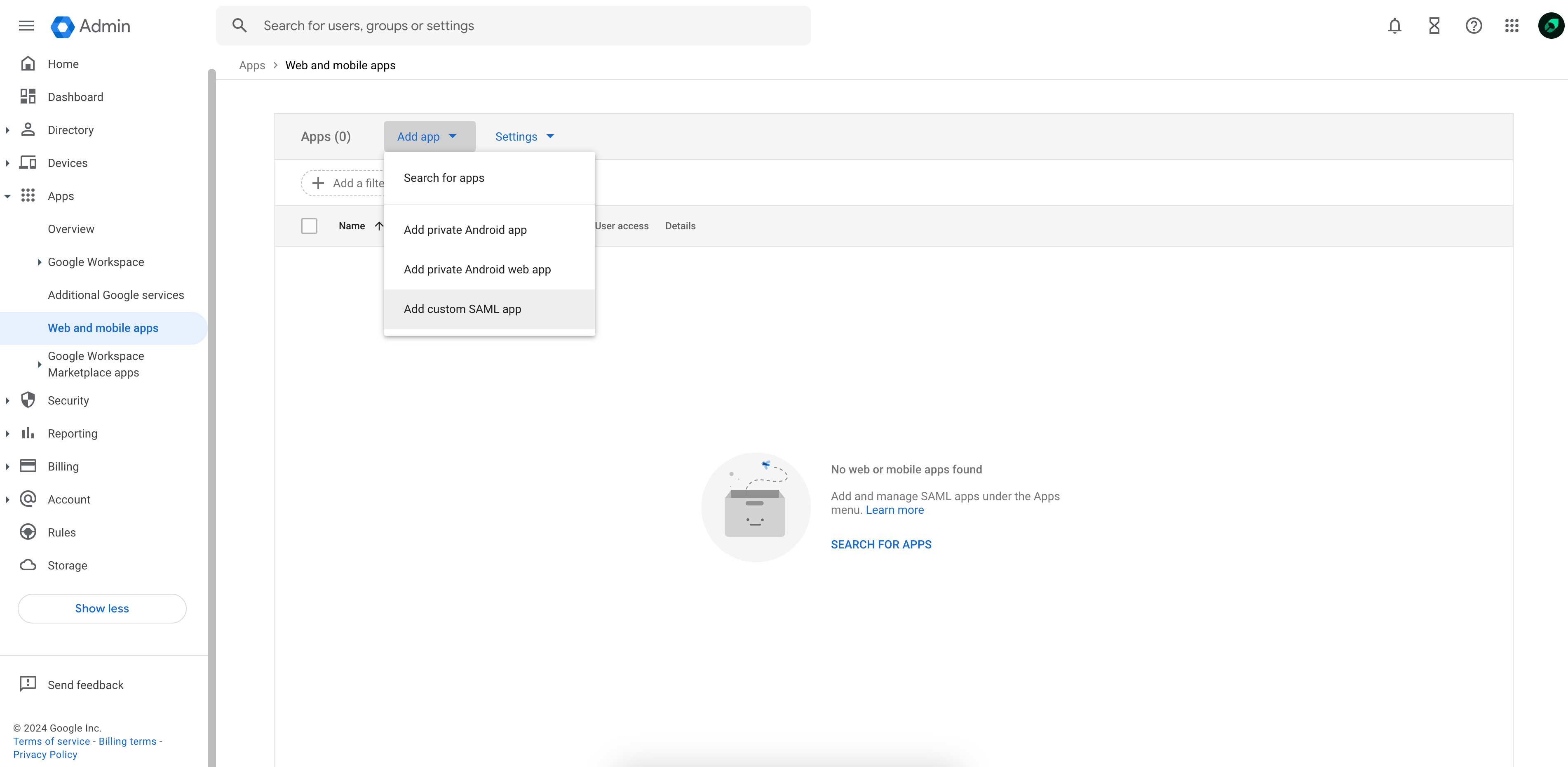
Web and mobile apps, select Add custom SAML app from the Add app dropdown.2
Send us your IdP information
Copy the provided SSO URL, Entity ID, and x509 certificate and send it to the Mintlify team.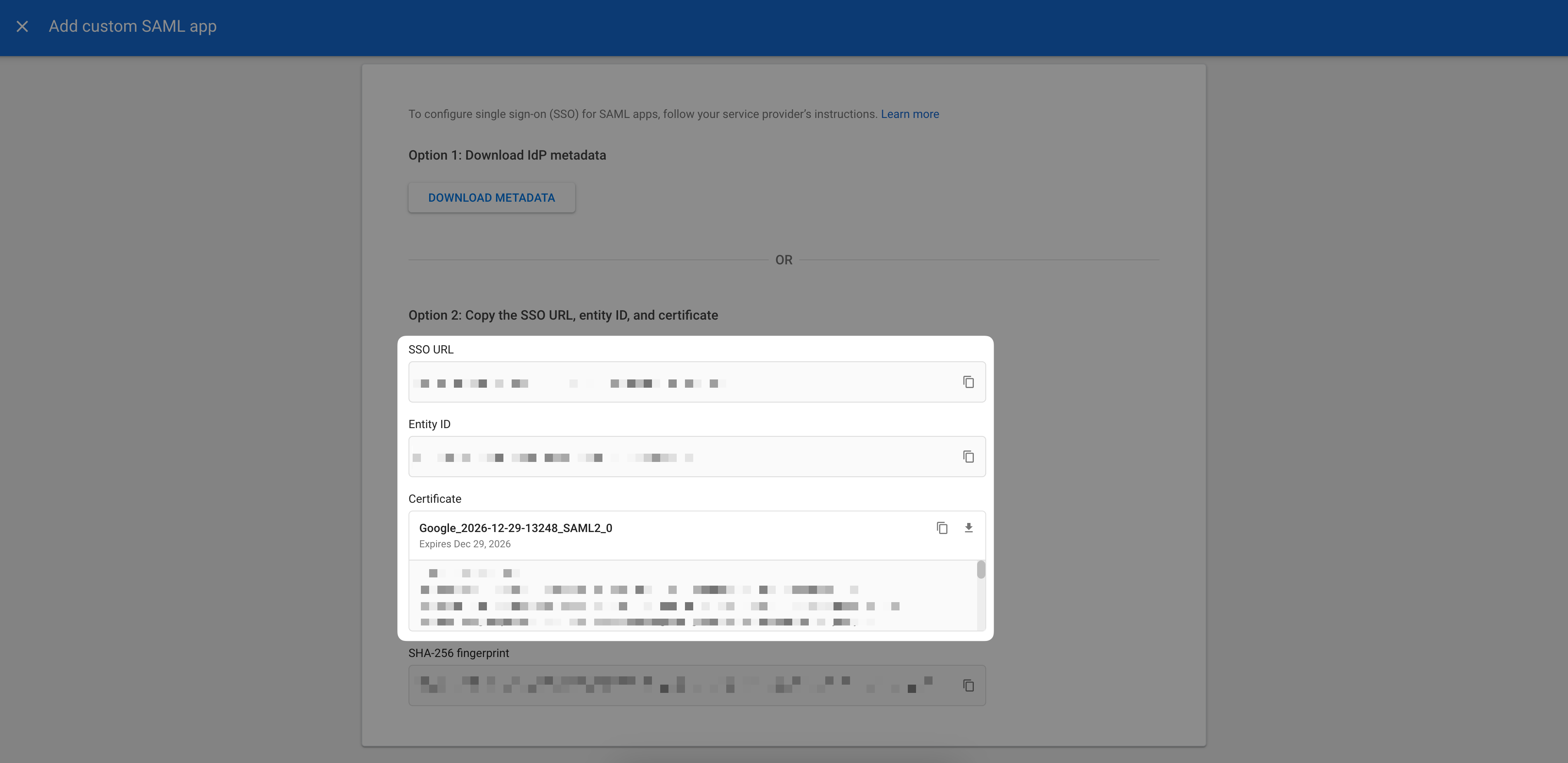
3
Configure integration
On the Service provider details page, enter the following: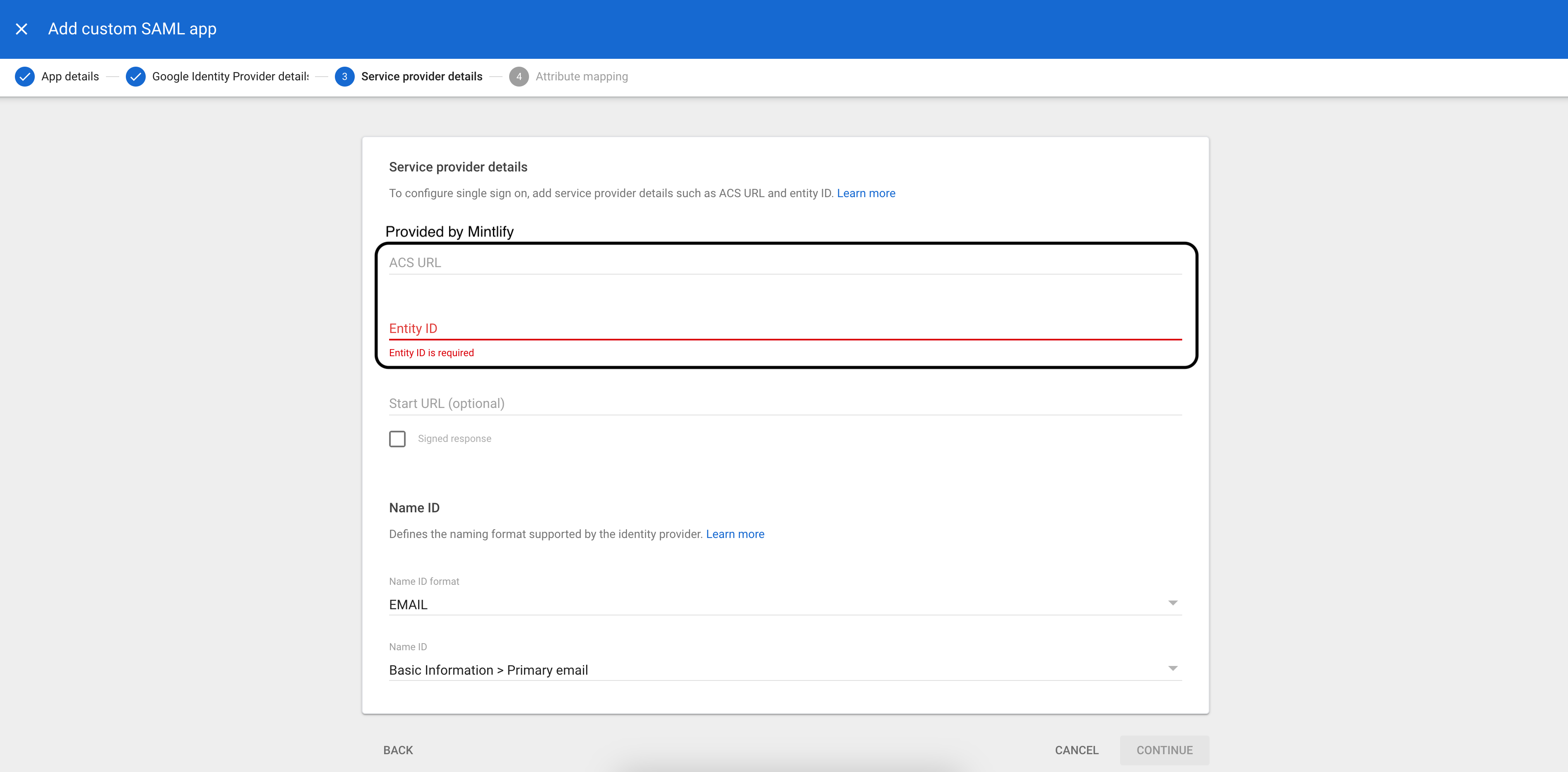 On the next page, enter the following attribute statements:
- ACS URL (provided by Mintlify)
- Entity ID (provided by Mintlify)
- Name ID format:
EMAIL - Name ID:
Basic Information > Primary email
Once this step is complete and users are assigned to the application, let our team know and we’ll enable SSO for your account!